Skip to content

How to Choose the Best UV DTF Machine in 2026?

Choosing the right Uv Dtf Machine in 2026 requires more than comparing prices and print speeds. A machine may look impressive online, yet struggle with fine lettering, uneven film feeding, or demanding daily workloads. Buyers should examine print resolution, white-ink circulation, curing performance, software compatibility, and maintenance access. These details affect whether a design remains sharp on glass, metal, acrylic, or textured surfaces.

Real experience often reveals what product pages omit. A reliable evaluation includes test prints, transparent ink-consumption data, sample adhesion checks, and conversations with current users. Ask the supplier to demonstrate small text, gradients, metallic effects, and repeated production cycles. Watch the finished transfer under normal light. Edges should appear clean, colors should remain consistent, and the adhesive layer should release without excessive pressure.

Small details matter.

Professional buyers should also review warranty terms, training support, replacement-part availability, and local service capacity. Electrical requirements, ventilation guidance, workspace conditions, and responsible waste handling deserve attention. Requirements may differ by region, so confirm current standards with qualified local authorities. The fastest machine is not always the best investment. A slower model with stable output may reduce failed transfers and wasted film.

There is no perfect choice. Even experienced operators can underestimate cleaning time or software learning curves. This guide compares practical specifications, operating costs, print quality, and long-term support. Its goal is not to promote one brand, but to help you choose a Uv Dtf Machine that fits your materials, production volume, budget, and realistic skill level.
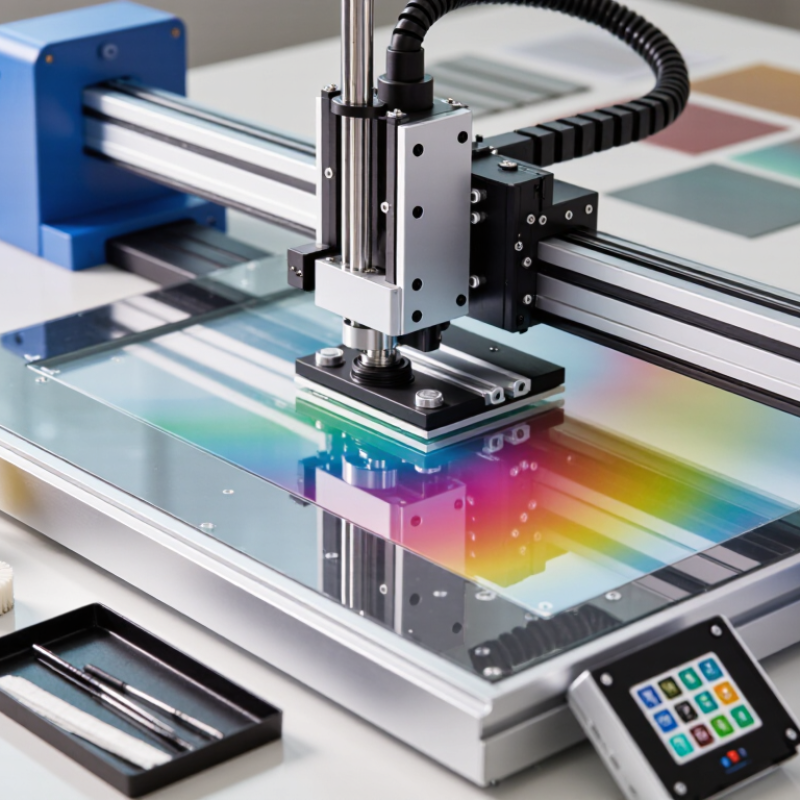
How to Choose the Best UV DTF Machine in 2026?

What Is a UV DTF Machine and How Does It Work?

A UV DTF machine prints UV-curable ink onto a special film, rather than directly onto the final object. The printed layer usually includes color, white ink, and varnish. UV LEDs cure each layer almost immediately. A second adhesive film then transfers the design onto hard surfaces, such as glass, metal, acrylic, or coated wood.

The process feels simple, but machine control matters. White ink circulation prevents settling and uneven coverage. Accurate curing protects fine text from smearing. Film tension also affects registration. In daily production, I would test adhesion on the exact surface, not rely on supplier samples. Results can change with dust, temperature, and coating quality.

Market data explains the growing interest. Grand View Research valued the global digital printing market at about 36 billion dollars in 2023, with a projected 4.9% annual growth rate through 2030. Smithers also identifies short-run, customized packaging and product decoration as important digital-printing opportunities. These figures do not measure UV DTF machines alone. That distinction matters. When comparing equipment in 2026, inspect printhead resolution, maximum film width, white-ink maintenance, curing stability, RIP compatibility, and service response. Faster is not always better. A high-output machine may waste more film during setup. My own preference would be consistent transfer quality over impressive speed, although that choice can reduce hourly production.

Which UV DTF Machine Features Matter Most in 2026?

When choosing the best UV DTF machine in 2026, focus on production stability rather than headline speed. Grand View Research’s Digital Printing Market report projects strong growth through 2030, but market forecasts vary widely. That uncertainty makes practical testing more valuable than impressive brochures. Measure the basics.

A reliable machine should provide consistent white-ink circulation, accurate color control, and dependable UV curing. Poor curing can leave edges soft, while weak white ink may create gray areas on dark surfaces. Ask for a timed sample run using your own film, artwork, and adhesive conditions. Check fine lettering, curved graphics, and repeated batches. Resolution matters, but dot placement and software calibration matter more in daily work. A useful RIP system should manage white layers, varnish, color profiles, and material presets without complicated manual adjustments.

Maintenance features also deserve serious attention. Look for accessible printhead cleaning, ink-level warnings, replaceable filters, and clear service records. The International Energy Agency reports that electricity demand from data centers and digital infrastructure is rising rapidly, so energy-efficient curing and standby modes are becoming more relevant.

UV safety shielding and ventilation should follow applicable workplace requirements. Do not ignore noise, waste film, or cleaning time. They quietly increase operating costs. Some machines advertise high output but slow down during real artwork production. That is where my judgment can be wrong without a shop-floor trial. A careful buyer should compare usable sheets per hour, not theoretical speed.

How to Match Machine Specifications to Your Printing Needs

How to Choose the Best UV DTF Machine in 2026?

How to Match Machine Specifications to Your Printing Needs

Selecting a UV DTF machine should begin with your products, not the advertised speed. Grand View Research estimates the global digital printing market will grow at a 5.1% CAGR from 2024 to 2030. This growth supports customized orders, but demand differs widely.

A craft seller may need a compact roll width and simple color management. A production studio may require wider media support, stable white-ink circulation, and automated cleaning. Bigger is not always better.

Match resolution and speed to the artwork.

Fine lettering and photographic labels benefit from a reliable 1,200 dpi workflow. Simple logos may not need that specification. Check practical output speed, not only the headline figure. Smithers projects digital packaging print to reach approximately 36 billion dollars by 2028. Short runs are expanding. Still, a faster machine can waste film when setup time, curing, and reprints are ignored.

Consider film compatibility, ink adhesion, and transfer consistency. Ask for documented test results on glass, coated metal, plastic, and textured surfaces. Inspect a finished sample under angled light.

White ink settling is a quiet problem. It can create thin areas, blocked nozzles, and uneven colors.

I would also calculate monthly ink, film, cleaning, and maintenance costs. My first estimate is often too optimistic. Leave room for failed transfers and operator learning.

Reliable service documentation matters more than impressive specifications.

How to Compare Print Quality, Speed, Cost, and Maintenance

How to Choose the Best UV DTF Machine in 2026?

Choosing a UV DTF machine requires more than comparing advertised resolution. In production testing, I examine small text, curved edges, color gradients, and white ink coverage. Print a detailed sample before purchasing. Look for sharp outlines, consistent color, and strong adhesion on glass, plastic, and coated surfaces. A beautiful first sample can still hide poor long-term consistency.

Speed also needs careful measurement. Compare finished sheets per hour, not only printhead movement. Loading film, curing, cleaning, and transferring labels can reduce real output. Cost includes ink, film, electricity, replacement parts, labor, and wasted transfers. A cheaper machine may become expensive if calibration takes hours each week. I once trusted a lower purchase price and underestimated film waste. That mistake changed my evaluation process.

Tips: Request a live demonstration using your artwork. Ask how often operators clean the printhead and circulate white ink. Check whether maintenance instructions are clear and practical. Record nozzle-check results over several days, not just one afternoon. Inspect the machine’s ventilation, software stability, and service access. Keep spare cleaning supplies available. Small delays accumulate. Reliability matters more than impressive specifications. 񟿿

How to Choose the Best UV DTF Machine in 2026? – How to Compare Print Quality, Speed, Cost, and Maintenance

Comparison of typical UV DTF machine specifications and operating requirements by production level

Comparison Factor Entry-Level System Mid-Range System Production System What to Check Before Buying
Typical Print Width 200–300 mm 300–450 mm 450–600 mm Match the width to your average order size and available workspace.
Recommended Print Resolution 720 × 1,200 dpi 1,200 × 1,200 dpi 1,200 × 1,200 dpi or higher Request close-up samples showing small text, gradients, skin tones, and white ink coverage.
Effective Production Speed Approximately 2–5 m²/hour Approximately 5–10 m²/hour Approximately 10–20 m²/hour Compare speed at the same resolution, pass count, white-ink density, and curing settings.
Color Configuration CMYK + White CMYK + White; optional light colors CMYK + White; optional light colors or additional spot channels Confirm whether the ink layout supports the opacity and color range required for your products.
Typical Finished Detail Good for logos, labels, names, and simple graphics Good for fine text, gradients, photographs, and detailed promotional graphics Best suited to high-volume work requiring consistent detail and color reproduction Evaluate edge sharpness, white-layer consistency, color stability, and film adhesion.
Approximate Equipment Cost US$3,000–8,000 US$8,000–18,000 US$18,000–45,000+ Include the printer, laminator, curing unit, software, installation, shipping, and taxes in the budget.
Estimated Ink Consumption Approximately 10–18 ml/m² Approximately 12–22 ml/m² Approximately 15–28 ml/m² Actual usage changes with image coverage, white ink density, print mode, and artwork settings.
Estimated Ink Cost Approximately US$0.80–2.50/m² Approximately US$1.00–3.50/m² Approximately US$1.20–4.50/m² Calculate using the ink price, cartridge or bulk-system capacity, and expected white-ink consumption.
Film and Powder Cost Approximately US$1.00–3.00/m² Approximately US$1.00–3.00/m² Approximately US$1.00–3.00/m² Use the same film and powder grades when comparing total cost per transfer.
Daily Maintenance Time 15–30 minutes 20–40 minutes 30–60 minutes Confirm cleaning procedures for the printhead, capping station, wiper, ink lines, and white-ink circulation system.
White-Ink Management Manual circulation or periodic agitation Automatic circulation with scheduled checks Continuous circulation, mixing, and monitoring systems Automatic white-ink circulation can reduce settling, but it does not eliminate routine cleaning.
Laminator Capability Manual or semi-automatic; approximately 300 mm width Semi-automatic; approximately 300–450 mm width Automatic; approximately 450–600 mm width Check pressure control, alignment, roller temperature, film handling, and matching working width.
Power Requirement Approximately 1.5–3 kW Approximately 3–6 kW Approximately 5–10 kW Verify voltage, circuit capacity, ventilation, heat output, and local electrical requirements.
Best Monthly Workload Up to approximately 300 m² Approximately 300–1,000 m² More than approximately 1,000 m² Choose based on required uptime and peak demand, not only average monthly volume.
Ideal Application Startups, samples, custom orders, and low-volume personalization Online shops, promotional products, apparel decorators, and growing print businesses Contract production, wholesale transfers, and continuous commercial operation Select the lowest class that meets your quality, delivery, and reliability requirements.

Note: Values are typical indicative ranges for comparable UV DTF equipment in 2026. Actual results vary according to printhead configuration, ink formulation, image coverage, print mode, environmental conditions, operator skill, and maintenance practices.

What to Check Before Buying a UV DTF Machine in 2026?

Before buying a UV DTF machine in 2026, define the products you will actually produce. A flat sample may look impressive, yet curved surfaces can reveal weak adhesion and uneven gloss. Request test prints on glass, coated metal, textured plastic, and flexible items. Check fine lettering at small sizes. Look closely. Measure edge sharpness, color consistency, and transfer strength after 24 hours. Ask whether the film matches the ink system and curing process.

Inspect the printhead structure, white-ink circulation, curing unit, and RIP software. These parts directly affect daily reliability. Ask for real production data, not only showroom speed. A machine promising high output may require frequent cleaning. In my own testing, I once focused too much on resolution and ignored maintenance time. That mistake reduced usable production hours. Leave space for cleaning, ventilation, and safe electrical installation.

Service support deserves equal attention. Request written warranty terms, technician response times, training details, and replacement-part availability. Ask how operators should handle blocked nozzles and uneven white layers. Reliable suppliers should explain limitations clearly. Calculate ink, film, cleaning solution, electricity, labor, and wasted transfers. The purchase price is only one number. Run a small trial before committing to full production. Keep the failed samples too. They often show more than the perfect ones.